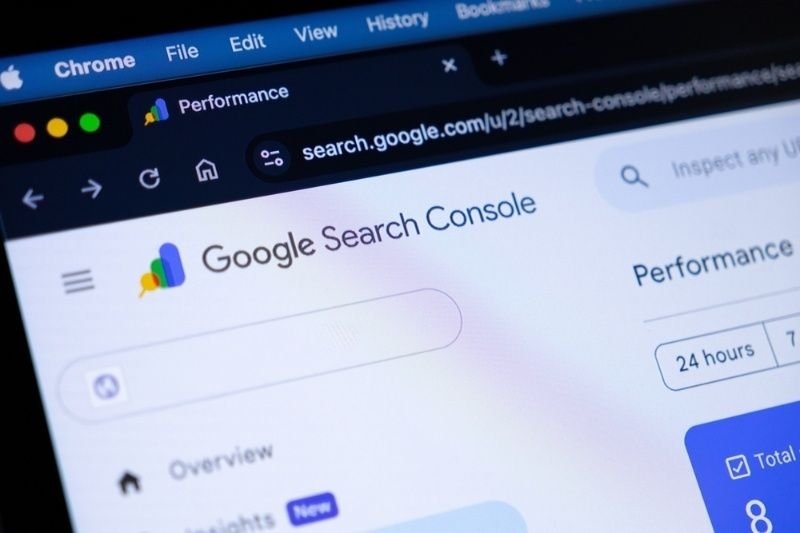
Key Lessons
- Google Search Console has long been essential for anyone who cares about SEO, and the updates rolling out in 2026 just raise the bar.
- Now it can track AI-driven search results, handle structured data with more smarts, and its reports are much easier to understand.
- The new reports make it easier to catch issues with indexing, performance, and user experience, so you can fix them fast.
- Having more than one report at your fingertips means smarter SEO choices. It’s more useful than just staring at a single dashboard.
- Even tiny tweaks inside Search Console can push your rankings up in a real way.
Ranking drops rarely come from just bad content. Sometimes, pages don’t even make it into Google’s index, structured data slips through the cracks, or technical messes go unnoticed for weeks. That’s where Search Console really comes in handy. With these updates, reporting gets sharper, AI search changes are easier to track, and new features help you see what’s really happening behind the scenes.
This blog walks you through the best new and updated Search Console features from 2026 and shows you how they can power up your SEO campaigns.
Google Search Console Becomes More Important in 2026
SEO keeps evolving. With AI-driven search, richer results, and stricter standards, your website’s tech needs to be solid. Now more than ever, Search Console is the first place any SEO checks before making changes.
Unlike other Google tools, Search Console pulls data straight from Google itself. So you don’t get estimates — you get the real deal. Whether you’re tracking rankings, sorting out indexing issues, or fixing performance, it shows you exactly what Google sees.
Google Search Console Features Improve SEO Visibility
These latest updates focus on connecting the dots between reports, rather than adding more complexity. Jumping from an indexing report to performance analysis takes less time, so you spend more time solving problems and less time hunting for info.
Little things like chart annotations, richer data, and better structured data support — they save hours in tech audits. Plus, it’s way easier to explain findings to clients or your team.
Google Search Console Updates Support AI Search
One of the standout 2026 features is reporting for AI-powered search. Google tweaked things so you can see exactly how these AI-based experiences affect your site’s impressions and visibility.
The Performance Report Still Delivers the Most Valuable SEO Data
Among all Google Search Console features, the Performance Report continues to provide the highest day-to-day value. The search performance report shows exactly how users discover your pages across Google Search.
It tracks impressions, clicks, average position, click-through rate, plus keyword visibility over time. Most SEO decisions begin here.
Search Performance Report Reveals Ranking Trends
A strong search performance report helps identify seo opportunities before traffic changes become obvious. For example, suppose impressions increase while clicks remain flat.
That usually points toward weak titles or poor meta descriptions rather than indexing problems. Reviewing the search performance report weekly makes optimization far more focused.
Google SEO Tools Work Better Together
Many marketers combine several Google SEO tools, yet Google Search Console remains the central data source. Google Analytics explains user behavior after visitors arrive.
Google Search Console explains how visitors reached the website in the first place. Using both creates a much stronger SEO workflow.
The URL Inspection Tool Solves Problems Faster
The URL Inspection Tool remains one of the most practical Google Search Console features available today. Instead of guessing why a page isn't ranking, website owners can inspect a single URL to see its indexing status, crawl history, canonical version, structured data, plus rendering information.
That saves hours.
Google Search Console Features Make Troubleshooting Easier
Modern SEO is mostly about catching and fixing small technical problems before they become big headaches. Updated Search Console tools let you check live pages, request indexing after you make changes, and quickly see if Google actually picked up those updates. Troubleshooting moves a lot faster.
Site performance isn’t just about speed.
Website Performance Depends on Crawl Health
If Google can’t crawl your key pages, your rankings take a hit, no matter how good your content is. The URL Inspection Tool is great for catching blocked resources, crawl delays, and indexing hiccups before they blow up into bigger issues.
Page Indexing Report Offers Better Technical Insights
There’s a revamped Page Indexing Report now, too. Instead of just listing which pages got indexed, it sorts out the problems and explains them in plain language. That way, you can focus on the biggest issues instead of chasing every warning. A lot less guessing.
Google Search Console Updates Improve Error Analysis
Recent changes make indexing reports easier to read. You can see if a page got excluded on purpose, blocked by accident, duplicated, or hit by canonical conflicts. Knowing the difference makes fixing things way more effective.
Compare Old SEO Audits With New Reporting
| Previous Workflow | Google Search Console 2026 |
| Manual indexing review | Smarter Page Indexing categories |
| Limited historical notes | Custom chart annotations |
| Basic structured data support | Expanded structured data properties |
| Separate report interpretation | Better cross-report connections |
| Less visibility into AI search | AI search integration adjustments |
For most SEO teams, these improvements reduce reporting time while making technical decisions much easier.
Conclusion
SEO continues to evolve, but its understanding from a technical perspective is the most important attribute. Google Search Console is still evolving by enhancing the reporting, rather than adding to complexity that isn't required. Advanced tools such as automated chart annotations, enhanced structured data properties, updated indexing reports with AI, and more enable greater productivity when working with charts daily.
Ideally, the best strategy is the simplest one. Consistently check Google Search Console; determine problems by comparison of reports; make improvements on the basis of evidence rather than assumptions. Through these small enhancements, over time, their websites become better, more visible and deliver on sustainable SEO growth.
Frequently Asked Questions
Can Google Search Console be used for local SEO?
Yes. It isn't a “local SEO platform” in the same vein, but Google Search Console provides a way of monitoring search visibility, indexing, and structured data, as well as keyword performance for location-based pages.
How often should you check Google Search Console?
Most sites do best when they keep an eye on Google Search Console pretty regularly. For big sites or online stores, checking in every day makes sense—it helps them catch and fix indexing issues right away.
Does Google Search Console show real-time data?
The data you see in Google Search Console isn’t in real-time. There’s always a bit of a delay while Google processes everything. But you can count on the numbers for technical SEO, spotting trends, and improving how your site performs.
Is Google Search Console all you need for top-tier SEO?
Not really. It's a powerhouse, but pairing it with analytics tools, keyword research apps, and backlink trackers gives you a much clearer picture and better results. It’s great on its own—just better in a good toolkit. Using all of them together gives you a fuller picture of what’s working and what isn’t on your site.